
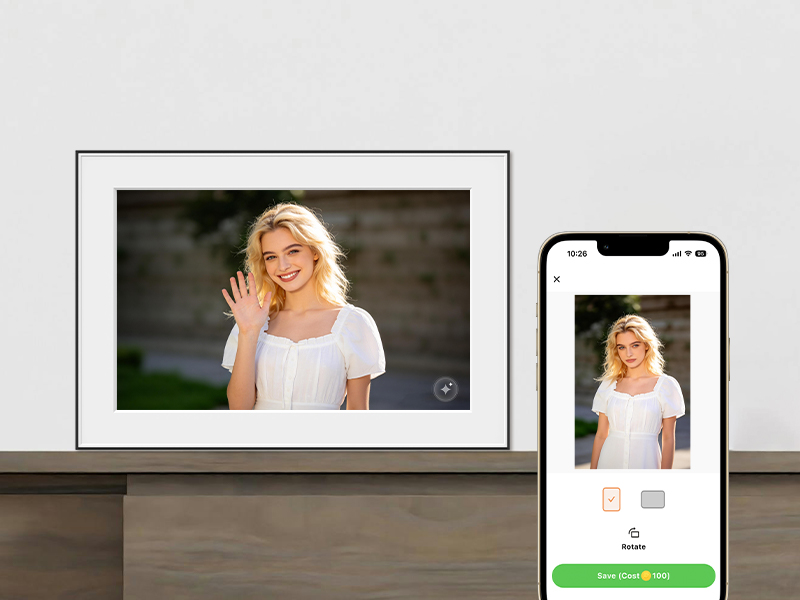
Two Ways to Control Your Frame
Digital photo frames need a way for you to adjust settings, upload photos, and control playback. Traditionally, this was done with a physical remote control — a small handheld device with buttons. Modern WiFi-enabled frames increasingly offer app control instead, letting you manage everything from your smartphone. Some frames offer both; others only one.
The choice between remote and app control affects daily convenience, feature access, and how easily family members can interact with the frame.
Remote Control: Pros & Cons
Advantages
- Instant access: Pick up the remote and press a button — no unlocking a phone or opening an app.
- Works offline: No WiFi or internet required. The remote communicates directly with the frame via infrared (IR) or Bluetooth.
- Familiar interface: Especially for older users, a physical remote feels intuitive and straightforward.
- No phone needed: Anyone in the room can control the frame without needing a smartphone or app installed.
Disadvantages
- Easy to lose: Small remotes get misplaced, buried in couch cushions, or taken to another room.
- Limited functionality: Remotes typically only handle basic tasks like play/pause, skip, brightness, and slideshow speed. Uploading photos or managing albums usually isn't possible.
- Requires line of sight (IR): Infrared remotes need a clear path to the frame's sensor. Bluetooth remotes don't have this limitation but are less common.
- Battery dependency: Remotes need batteries, which eventually die and need replacement.
App Control: Pros & Cons
Advantages
- Full feature access: Apps typically offer complete control — upload photos, create albums, adjust all settings, invite family members, and more.
- Remote management: Control the frame from anywhere with internet access, not just when you're in the same room.
- Multi-user support: Family members can all install the app and manage the frame from their own phones.
- Photo uploads from phone: Send photos directly from your phone's camera roll to the frame without cables or SD cards.
- No extra device to lose: Your phone is the remote — one less thing to keep track of.
Disadvantages
- Requires WiFi: Both the frame and your phone need internet connectivity for app control to work.
- App dependency: If the manufacturer's app is poorly designed, buggy, or discontinued, the frame becomes harder to use.
- Learning curve: Less tech-savvy users may find app interfaces confusing compared to a simple remote.
- Phone required: If your phone isn't nearby or is out of battery, you can't control the frame.
Key Differences at a Glance
- Convenience: Remote = instant physical control. App = full features but requires unlocking phone.
- Feature set: Remote = basic playback controls. App = full management including photo uploads.
- Range: Remote = same room only (IR) or short range (Bluetooth). App = anywhere with internet.
- User accessibility: Remote = easy for all ages. App = requires smartphone and some tech comfort.
- Photo uploads: Remote = not possible. App = direct from phone.
Which Is Right for You?
Choose a frame with remote control if:
- You want simple, immediate control without needing a phone.
- The frame will be used by older family members who prefer physical buttons.
- You don't need to frequently upload new photos — the frame is loaded once and left to play.
- You want offline control that doesn't depend on WiFi.
Choose a frame with app control if:
- You want to upload photos directly from your phone.
- Multiple family members will be adding photos remotely.
- You want full control over settings, albums, and organization.
- You're comfortable with smartphone apps and want modern convenience.
Best of both worlds:
Some frames offer both remote and app control, giving you flexibility. However, these are less common, and the remote is often sold separately or limited to basic functions while the app handles advanced features.
Homture's Approach
Homture frames use app control exclusively — no physical remote is included. This design choice prioritizes:
- Full feature access: Upload photos, manage albums, adjust all settings, and invite family members through the app.
- Remote photo sharing: Family members can send photos from anywhere in the world.
- Multi-user support: Everyone in the family can install the app and contribute photos.
- Simplified design: No remote to lose or batteries to replace.
For users who prefer physical controls, Homture frames include a touchscreen interface for basic adjustments like brightness and slideshow speed, though full management is best done through the app.
Bottom Line
Remote control is best for simplicity and immediate physical interaction, especially for users who aren't comfortable with apps. App control is best for full functionality, remote photo uploads, and multi-user sharing.
If you want a frame that family members can update with new photos from their phones, app control is essential. If you just want to load photos once and control playback with a button, a remote is sufficient.
For most modern use cases — especially frames intended as gifts for parents or grandparents who will receive photos from family — app control offers the most value, as long as the app itself is well-designed and reliable.